BrioPage
Get your business online — a real website in minutes
The problem
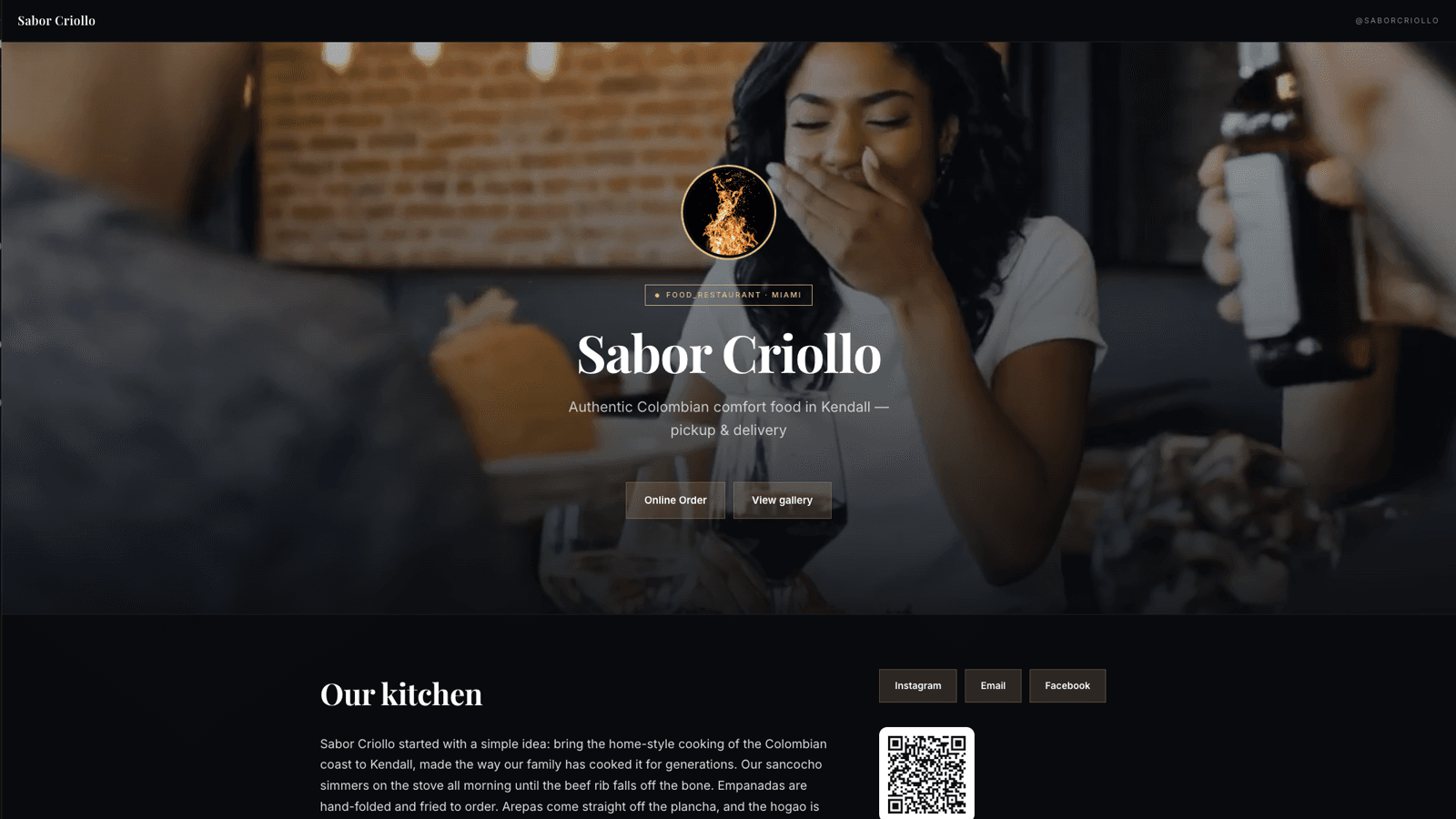
Most small businesses don't have a real website. Many live only on social media — but a profile isn't a site you own, and not every business is even on Instagram. They have no home base, no place to list services and hours, no way to be found on Google, and no clean booking or contact flow. Traditional web design is slow and expensive; DIY site builders are confusing and time-consuming. Small local businesses needed something faster, cheaper, and built for them.
What BrioPage does
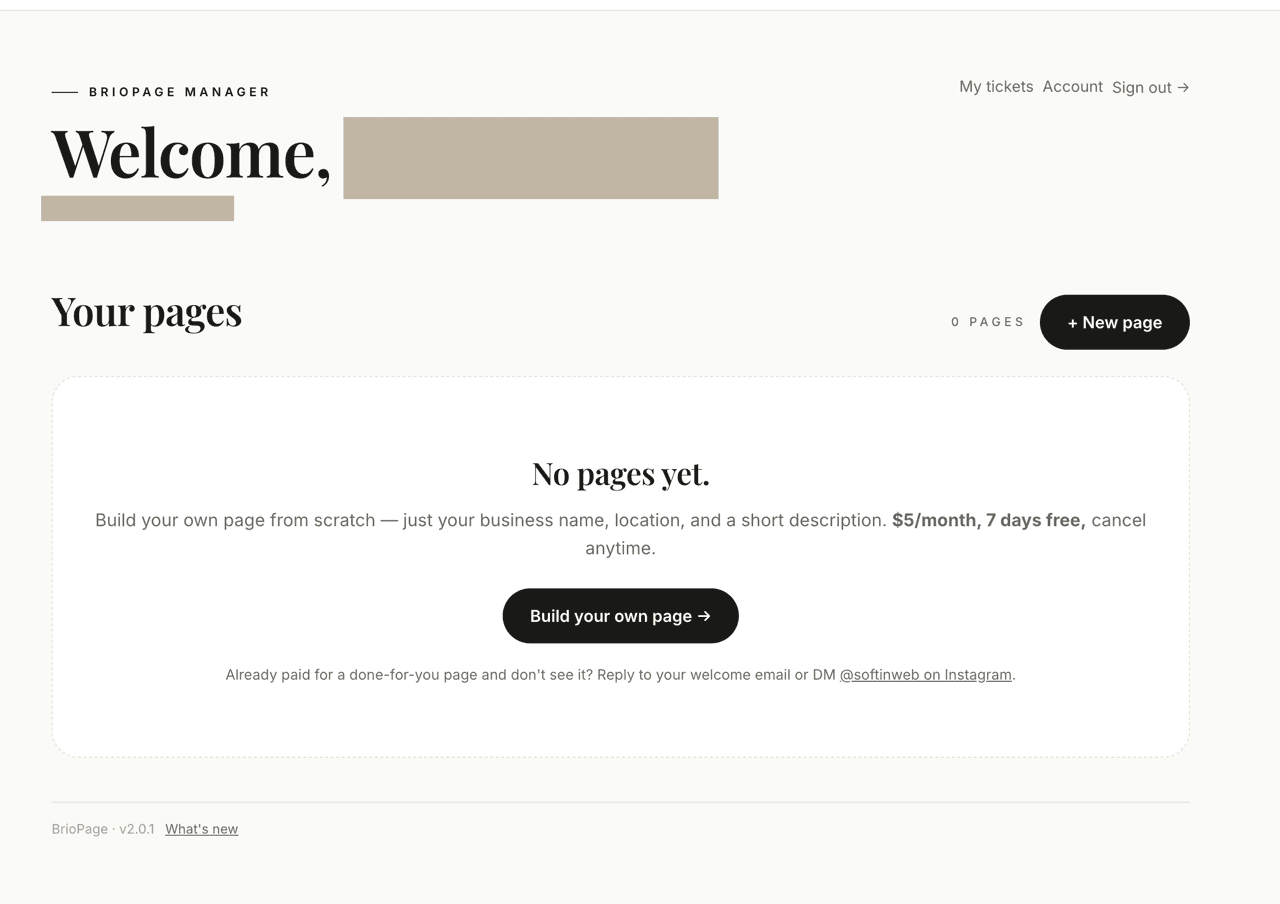
BrioPage builds a polished, mobile-first website for any small business — from scratch. Start with just your name, location, and description; if you happen to have an Instagram, you can optionally import your photos and bio to fill it in faster. Choose done-for-you (we build it) or build-it-yourself ($5/mo). Everything is managed from one clean dashboard, with no code and no hosting headaches.
- Build from scratch — just your business name, location, and a short description; no Instagram needed
- Optional Instagram import — if you have one, pull in your photos and bio to start faster
- A clean, mobile-first website you own — on your own briopage.com address
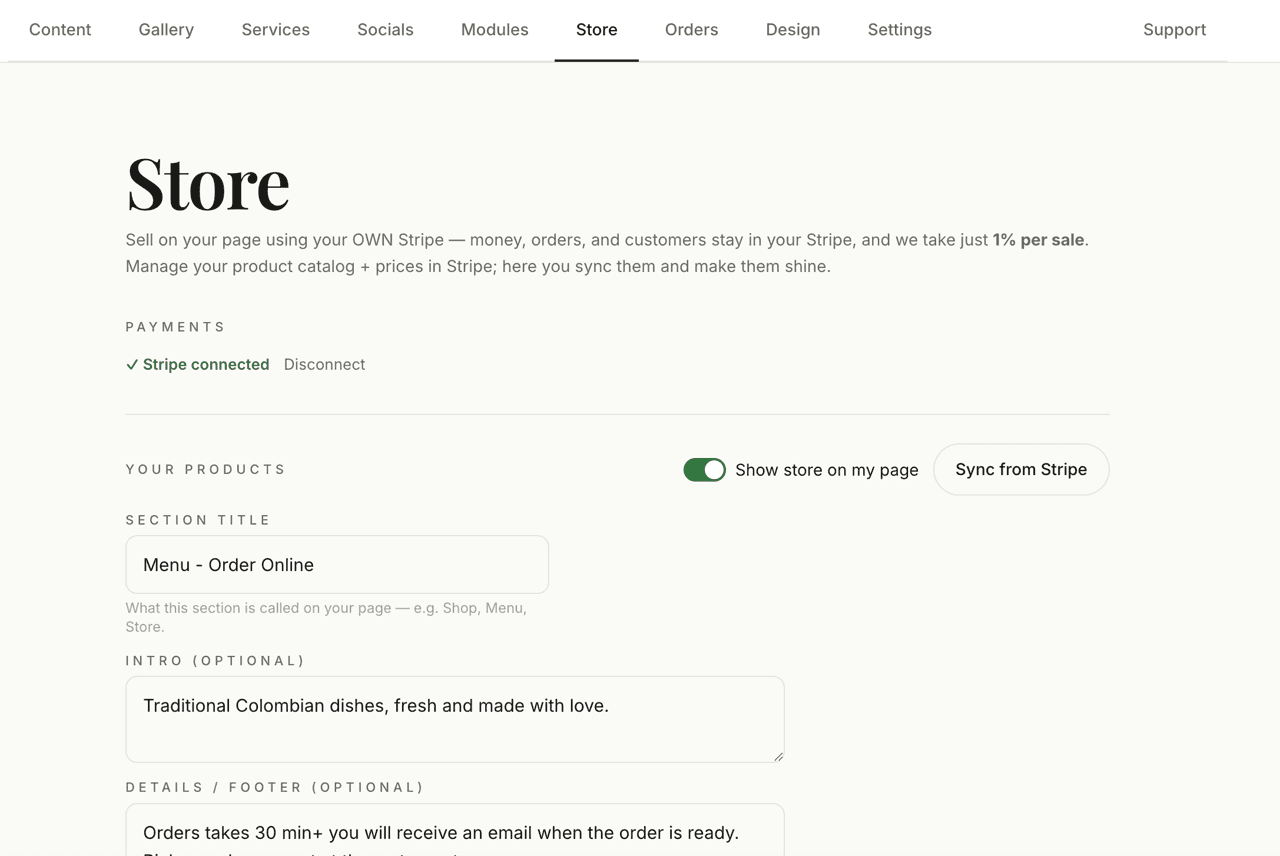
- Online store — sell products, food, or services right on the page; customers pay by card through your own Stripe account
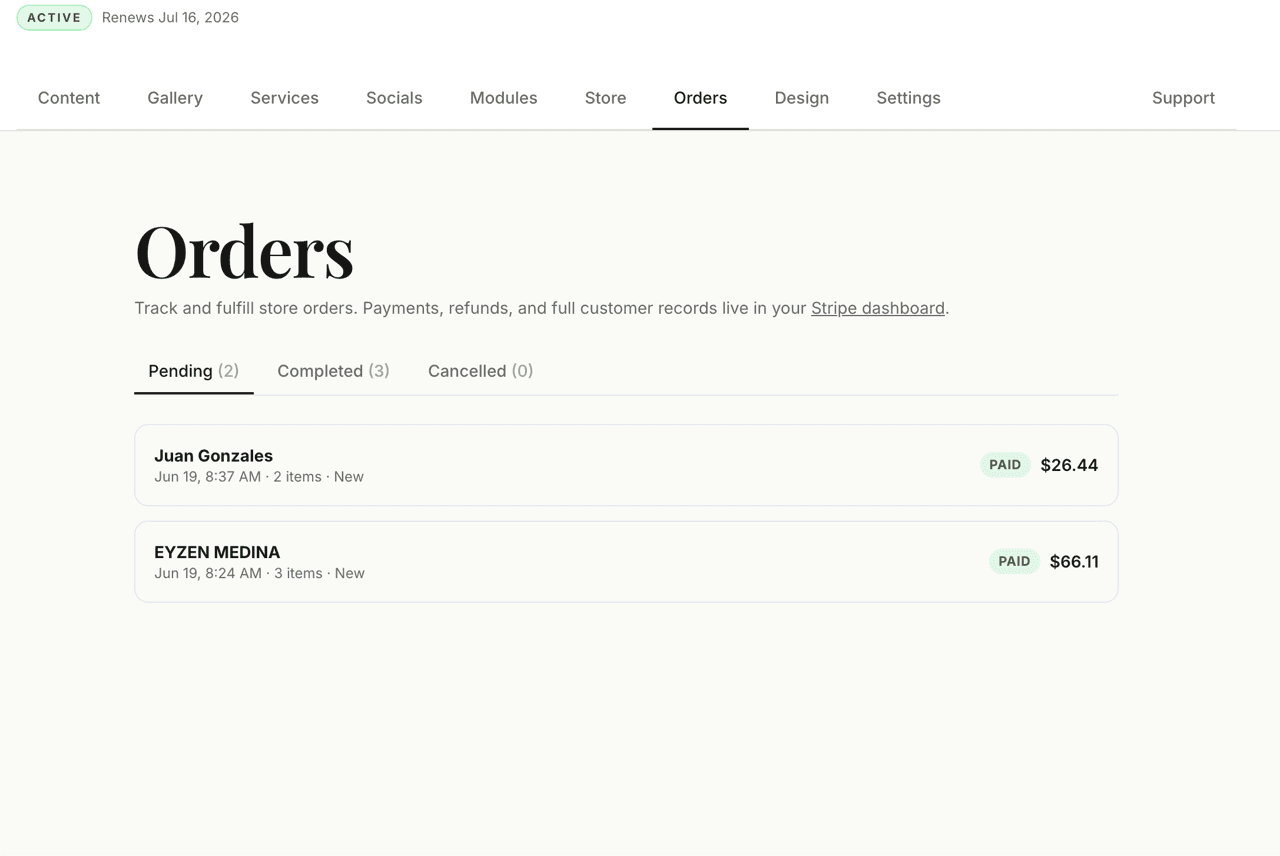
- Order manager — track and fulfill every sale in one place (pending, completed, cancelled), with refunds synced automatically from Stripe
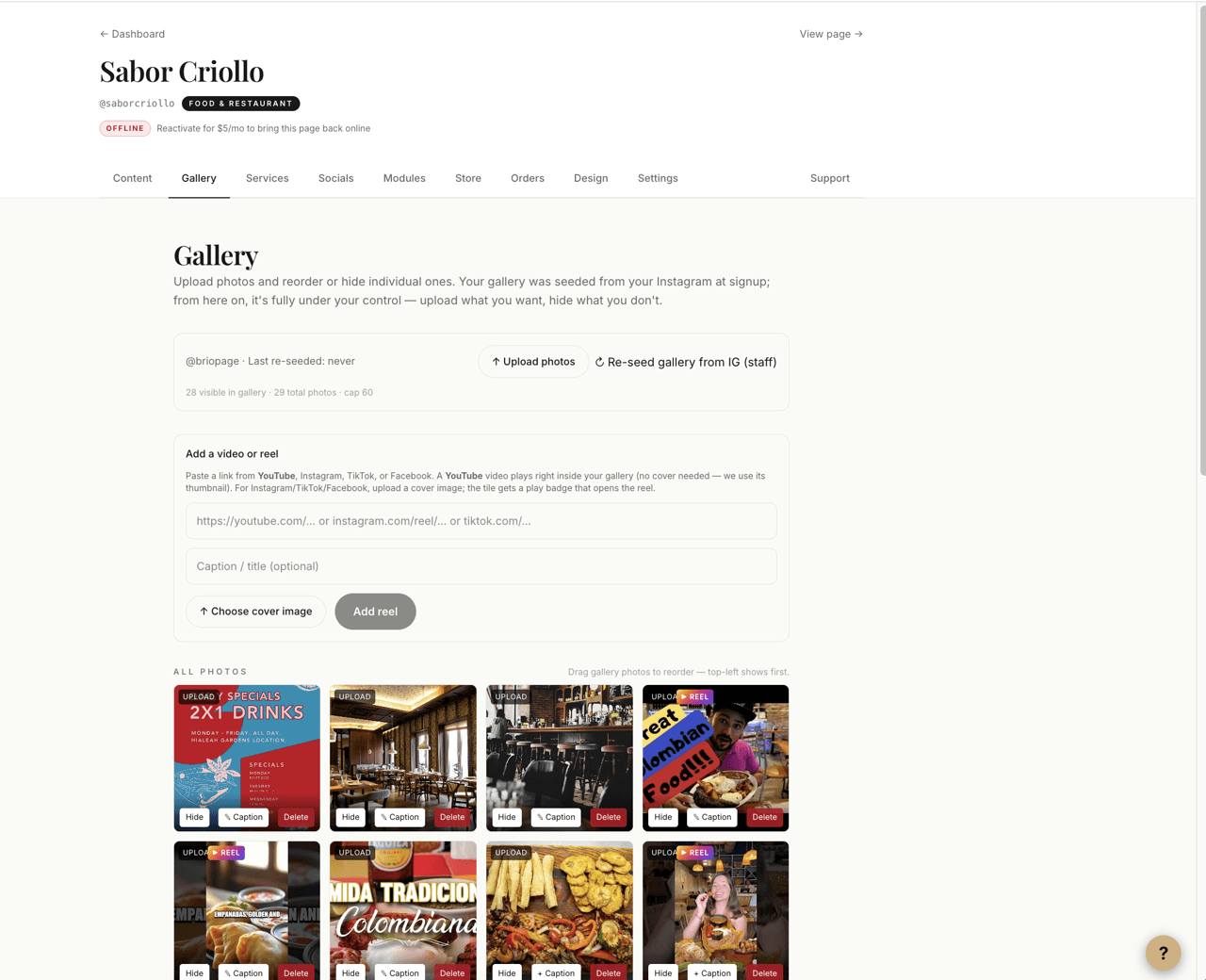
- Gallery with Instagram Reels, TikTok, and Facebook videos as clickable tiles, plus YouTube videos that play right on the page
- One simple manager dashboard — edit content, photos, services, store, and design with no code
- Multiple page templates and a wide range of color themes — restyle in a click
- Listed in the BrioPage directory so customers can find you by city + category
- SEO-ready out of the box — sitemaps, metadata, and structured data per page
- Save-to-contacts vCard, contact form, map, and one-tap call / WhatsApp / email
How it works
- 1
Start your page
Begin with just your business name, location, and a short description — no Instagram or website needed. If you do have an Instagram, you can optionally import your photos and bio to fill the page in faster. You get a ready-made starter page on your own briopage.com address.
- 2
Build it in the manager
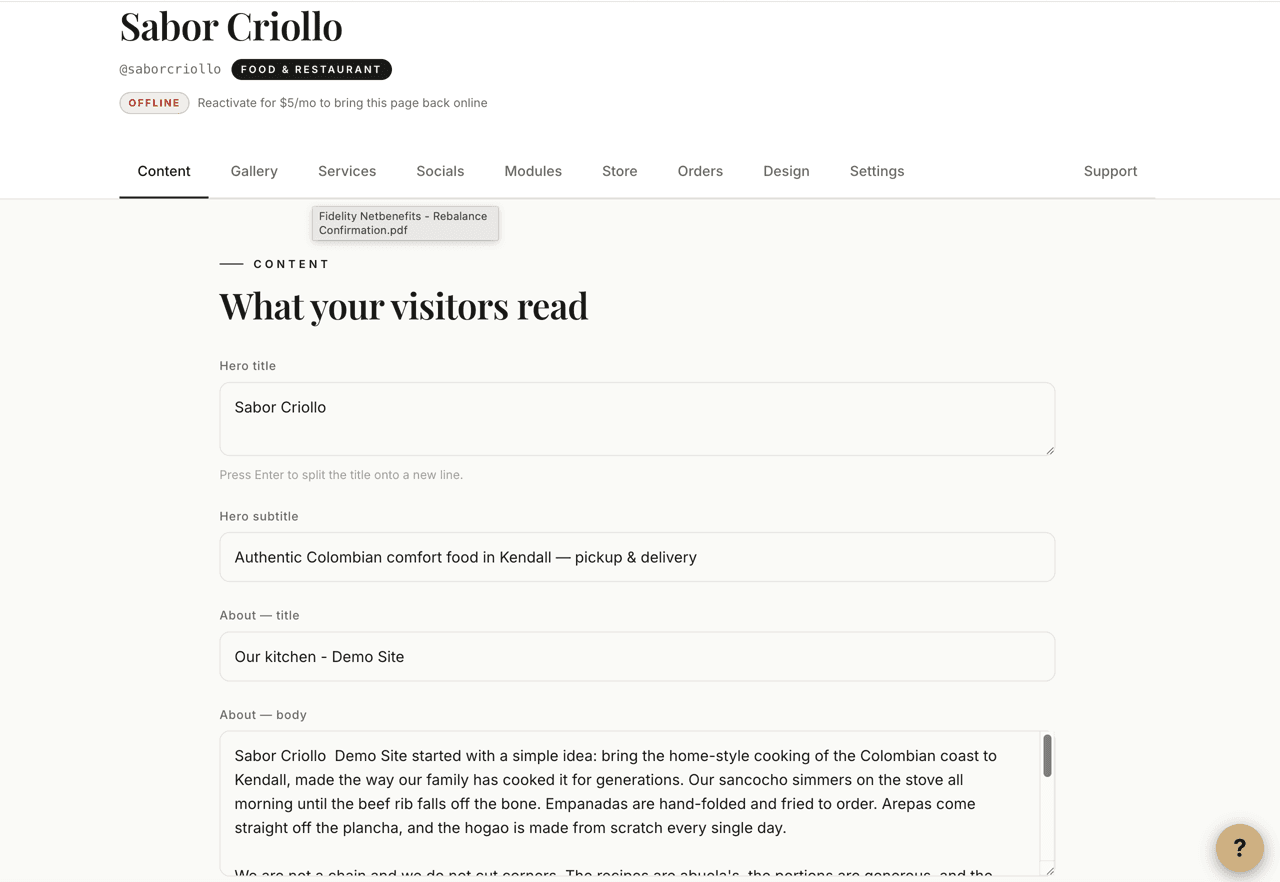
Open one simple dashboard and make it yours: write your hero and about text, upload and reorder photos (and drop in Instagram / TikTok / Facebook reels), list your services and prices, set your hours, and turn on only the sections you need. No code, nothing to install.
- 3
Style it your way
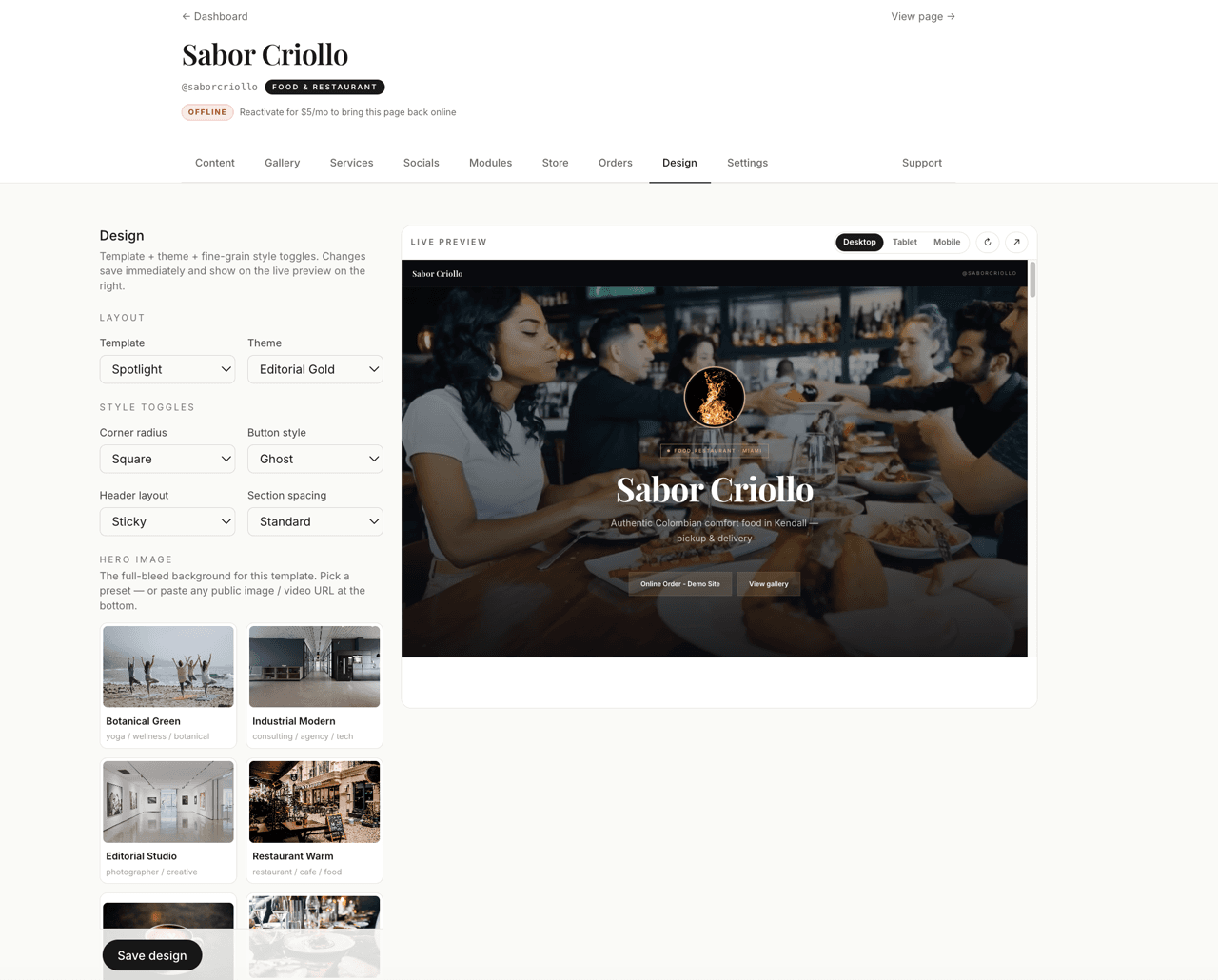
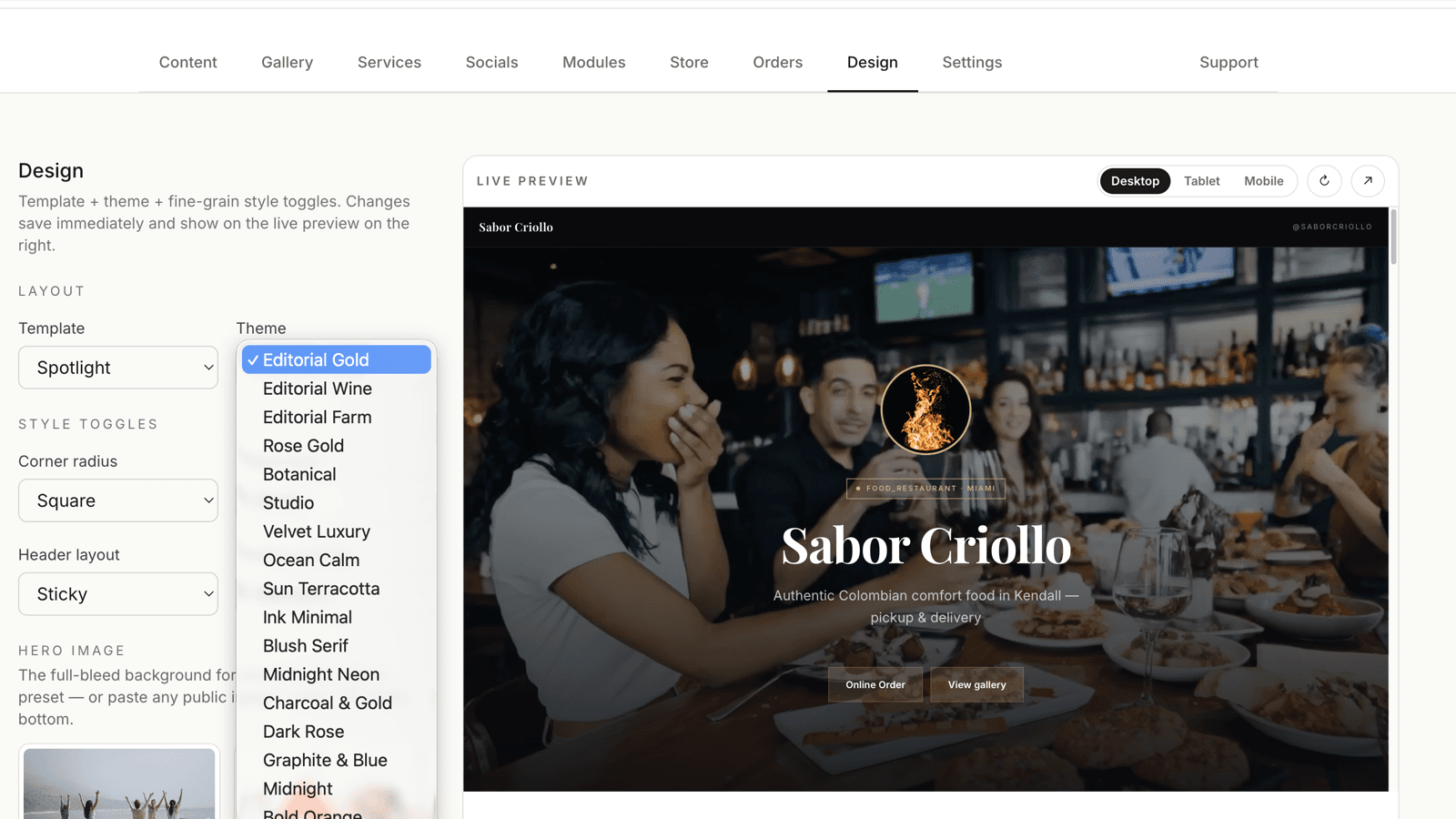
Pick a template and a color theme, then fine-tune buttons, corners, header layout, and spacing. Your content stays put — only the look changes — so you can try a few until it feels like your brand.
- 4
Publish and get found
Go live in one click. Your page is mobile-first, fast, and SEO-ready (sitemaps, metadata, structured data), and it's listed in the BrioPage directory so customers can find you by city and category. Visitors can call, message, book, or save your contact card in a tap.
The manager
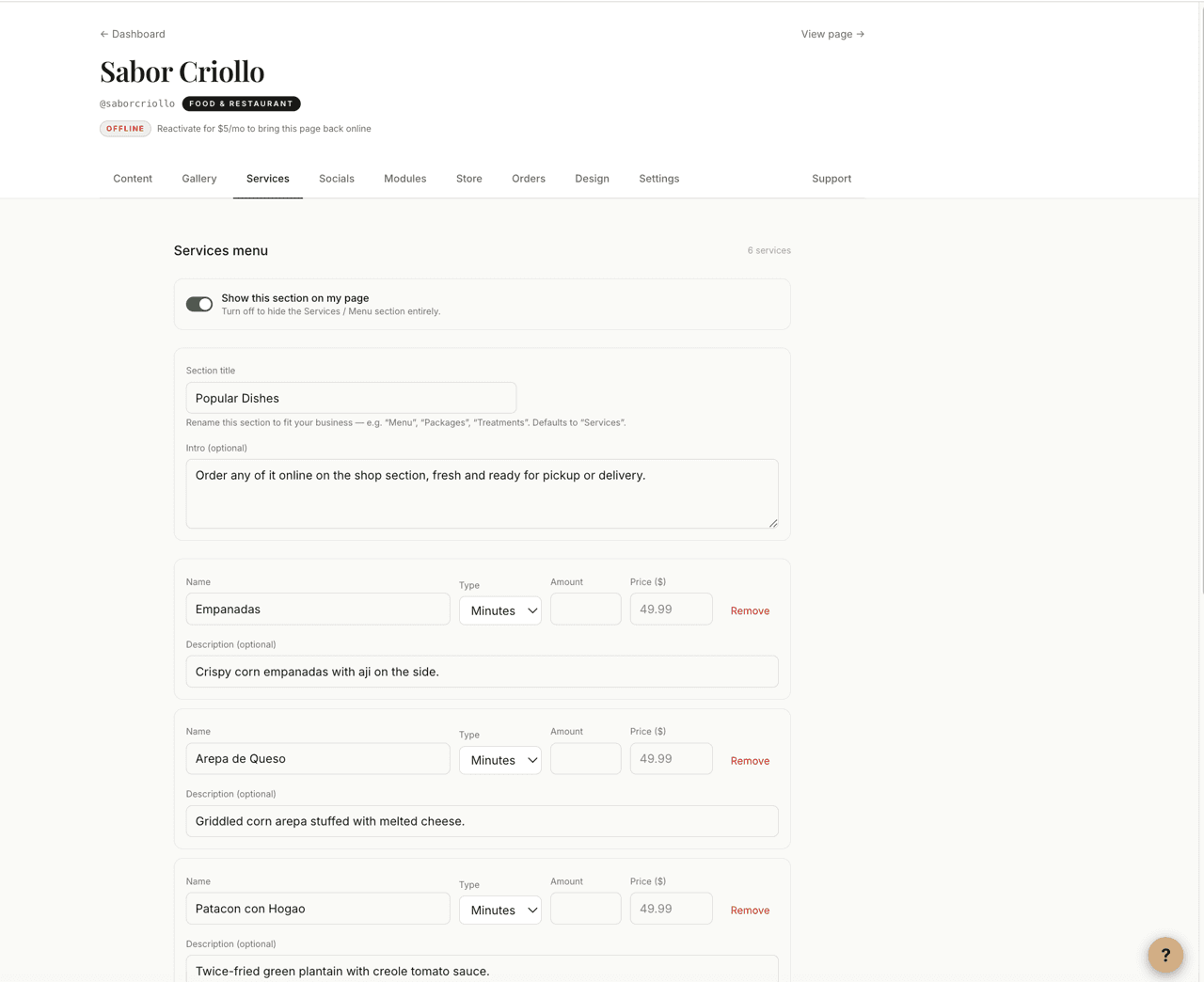
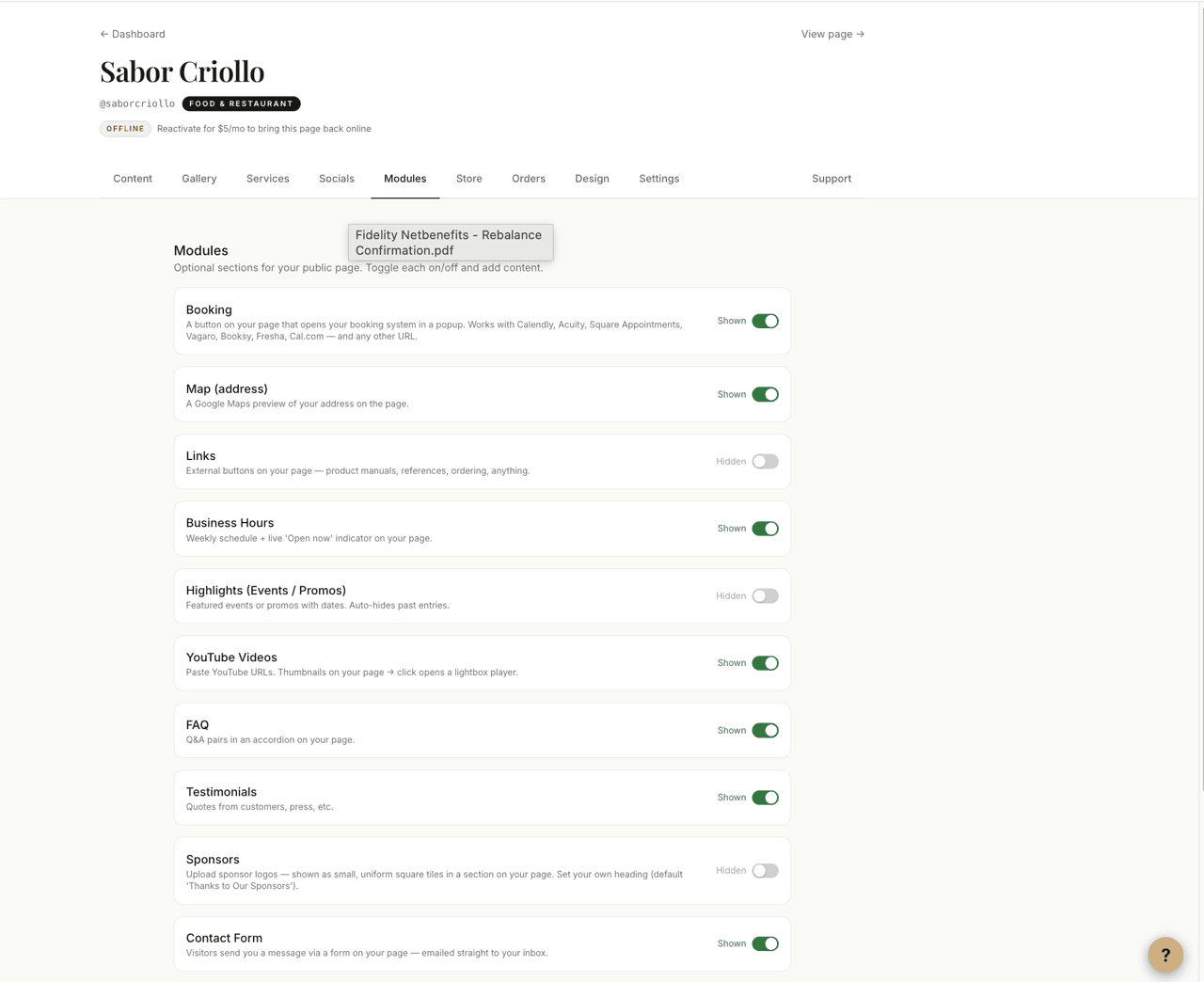
Owners run everything from one clean dashboard — no developer needed. The Content tab edits your hero and about text; the Gallery uploads, reorders, and curates photos and adds Instagram / TikTok / Facebook reels as clickable tiles; Services lists what you offer with prices and durations; Modules toggle each page section on or off; Design swaps templates, themes, and styling; and Settings handles your business info, location, category, and SEO. Every change previews instantly and goes live in a click.
Everything a small-business page needs
Turn on only the sections you need — each one is a simple, editable module in the manager. Empty modules stay hidden automatically, so the page always looks finished.
Your weekly schedule, shown clearly so customers know when you're open.
List what you offer with prices and durations — appointments, packages, or menu items.
Your portfolio, plus Instagram / TikTok / Facebook reels as clickable tiles. The most convincing thing on most pages.
Answer common questions up front in a clean accordion — fewer DMs, more bookings.
Customer reviews with names, photos, and star ratings to build trust.
Promote a sale, class, or special — it shows near the top and auto-hides once it's past.
Embed videos that play inline — a tour, tutorial, or highlight reel.
A tidy grid of partner or sponsor logos for clubs, venues, and events.
Show your location with one-tap directions for walk-in businesses.
Visitors message you straight from the page — replies land in your inbox.
One tap saves your business to a visitor's phone contacts — name, phone, address, and link.
Add any extra buttons — a menu PDF, an order page, a Linktree-style set of links.
Connect Acuity, Calendly, Square, Booksy, and more so customers book right from your page.
A prominent button in the hero pointing wherever matters most this week.
An age-confirmation screen for businesses that need one (e.g. bars, vape, cannabis).
Templates & themes
Pick from multiple page templates — each a different layout for the hero, gallery, and sections — and a wide range of color-and-font themes tuned for different industries. Then fine-tune corner radius, button style, header layout, and section spacing. Your content never changes, only the look, so every business comes out distinct rather than templated.
Integrations
BrioPage now has a built-in online store: products, food, or services sell right on the page, and customers pay by card through the owner's own Stripe account. It also connects to the booking and scheduling tools small businesses already use. Native in-app booking with real open slots is still on the roadmap.
Available today
- Online store — sell products, food, or services right on your page, with a built-in cart and checkout
- Get paid through your own Stripe account — money goes straight to you
- Order manager — track and fulfill every sale, with refunds synced automatically from Stripe
- Booking links — Acuity, Calendly, Square Appointments, Booksy, and more open right from your page
- Online-order / payment links — Square, Stripe, PayPal, and Cash App buttons
- Social & contact — WhatsApp, Facebook, TikTok, YouTube, Instagram, phone, and email
- Featured call-to-action that points customers wherever you want
Coming soon
- Native booking — show your real open slots and let customers book in-app
- A consumer mobile app to find local businesses and book or buy on the go
Roadmap features are in active planning and not yet available.
Tech stack


 Express
 SQLite


Get your business online
Start your BrioPage today — from just your business name, location, and description. Have a real website in minutes.